
Microsoft Word Add-in
The Word Add-in That Fixes Your Documents Without Leaving Word
No new platform. No new drafting habits. No workflow change.
No registration required.
Normalise
Apply your house style to any external or legacy draft.
- Convert manual formatting into structured Word styles
- Fix headings and clause numbering
- Repair broken tables and schedules
- Restore TOC and navigation structure
Turn a messy counterparty draft into your standard in one click.
Document Cleanup
After redlines, stabilise the document.
- Keep numbering aligned
- Remove formatting debris
- Prevent structural drift
- Maintain consistency through negotiation cycles
No more documents degrading every round.
Proof Reading
Before sending for signature or client delivery, run a final check.
- Flag placeholders such as brackets or TBC
- Surface leftover highlights
- Detect inconsistent defined terms
- Identify broken cross-references
Send documents that are actually send-ready.
Built for consistency across every document
Because “close enough” isn't a house style.
Define your template requirements
Upload your approved template and define the structure rules. Reformat analyses your template and builds a complete set of formatting requirements automatically.
Confirm styles before applying
If anything doesn’t match cleanly, Reformat flags it so you can choose the right style instead of reformatting the document from scratch.
Final draft check before sending
Catch placeholders, brackets, highlights, and formatting inconsistencies before anything leaves the building. One click to scan, click to fix.
Document Templates
Switch between formats instantly.
Reformat allows you to build and manage your own house styles.
Upload your approved template.
Define your structure rules.
Save multiple styles for different teams, clients, or jurisdictions.
Switch between house styles in seconds.
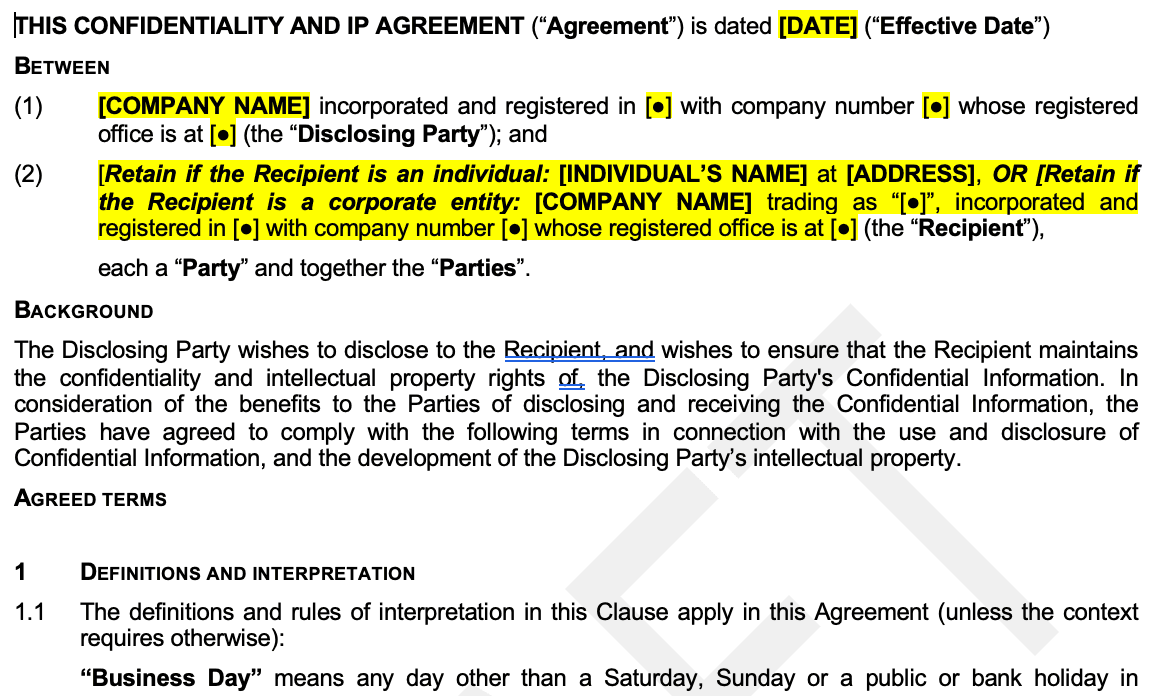
Free Templates
Get started immediately with pre-built templates for common document types.
- NDA and confidentiality agreements
No setup needed. Just pick a template and reformat.
Build Your Own Template
Create a custom house style that matches your firm's exact requirements.
- Set font, spacing, margin and numbering standards
- Save and reuse across your entire team
Your formatting rules, enforced automatically.
Custom Template Build Service
Let our team build your template for you. Perfect for complex house styles.
- We analyse your existing style guide
- Build and test the template to your spec
- Deliver a ready-to-use template in days
Full service setup, production ready result.
Flexible Usage Based Pricing
Pay for Usage. Not for Users.
Unlimited team members.
Enable your entire team from day one.
Pay for usage.
Usage tracked by credits, not headcount.
Scale without friction.
Expand team access with no pricing complexity.
Operate your legal team from one workspace
Templates, team members, credits and billing managed in one place. Set up your organisation once, then keep every workflow consistent without manual policing.
Dashboard
Manage templates, members, billing and usage in one place.
Team Members
Invite unlimited users and manage access centrally.
Template Library
Organise templates by client and matter type.
Subscriptions
Mix monthly plans with one-time credit packs as needed.
Shared Credit Pool
Use one organisation pool instead of per-user balances.
Billing
View invoices, usage summaries and payment details quickly.
Compliance
Keep style controls consistent across legal documents.
Organisation Settings
Configure team defaults as your practice scales.
Built for Professional Environments
Enterprise grade deployment, compliance, and control built in from day one.
Microsoft Reviewed
Desktop version of Microsoft Word on Windows and Mac.
Centralised deployment ready
Roll out via Microsoft 365 admin centre to your entire organisation.
Privacy by design
Secure data processing on all documents.
Secure architecture
Built on a secure architecture designed to meet ISO 27001 aligned controls.
Just 3 Steps to Get Started
No registrations, no credit card. Reformat installs in under a minute and works inside the Word you already use.
Go to Microsoft AppSource
Click Install - it takes less than a minute to add the Reformat add-in to your Word environment.
Download from Microsoft MarketplaceOpen Word and sign in
Add your template or select a default style. Reformat reads your template and builds the formatting rules automatically.
Run Reformat on your next messy draft
See the difference immediately - headings, numbering, spacing, and styles all corrected in seconds.